Every booking, perfectly managed
A unified booking engine that handles all types of reservable resources — from hot desks and meeting rooms to private offices and event spaces. Real-time availability, instant confirmation.
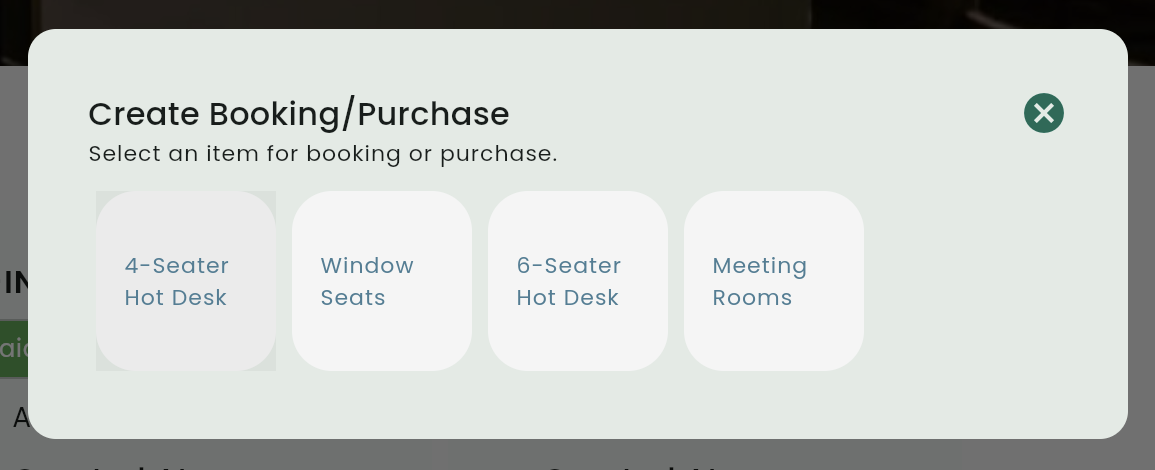
Why teams love our booking engine
Spend less time managing conflicts, more time growing your space.
Flexible resource types
Support for hot desks, dedicated desks, meeting rooms, private offices, and fully custom resource categories.
Time-based booking
Hourly, half-day, and full-day booking options with configurable time slots to match your space's schedule.
Add-on purchases
Members can bundle services with their bookings — printing credits, coffee packages, parking, AV equipment.
Easy modifications
Modify, cancel, and reschedule bookings with configurable policy enforcement. Members get instant confirmation.
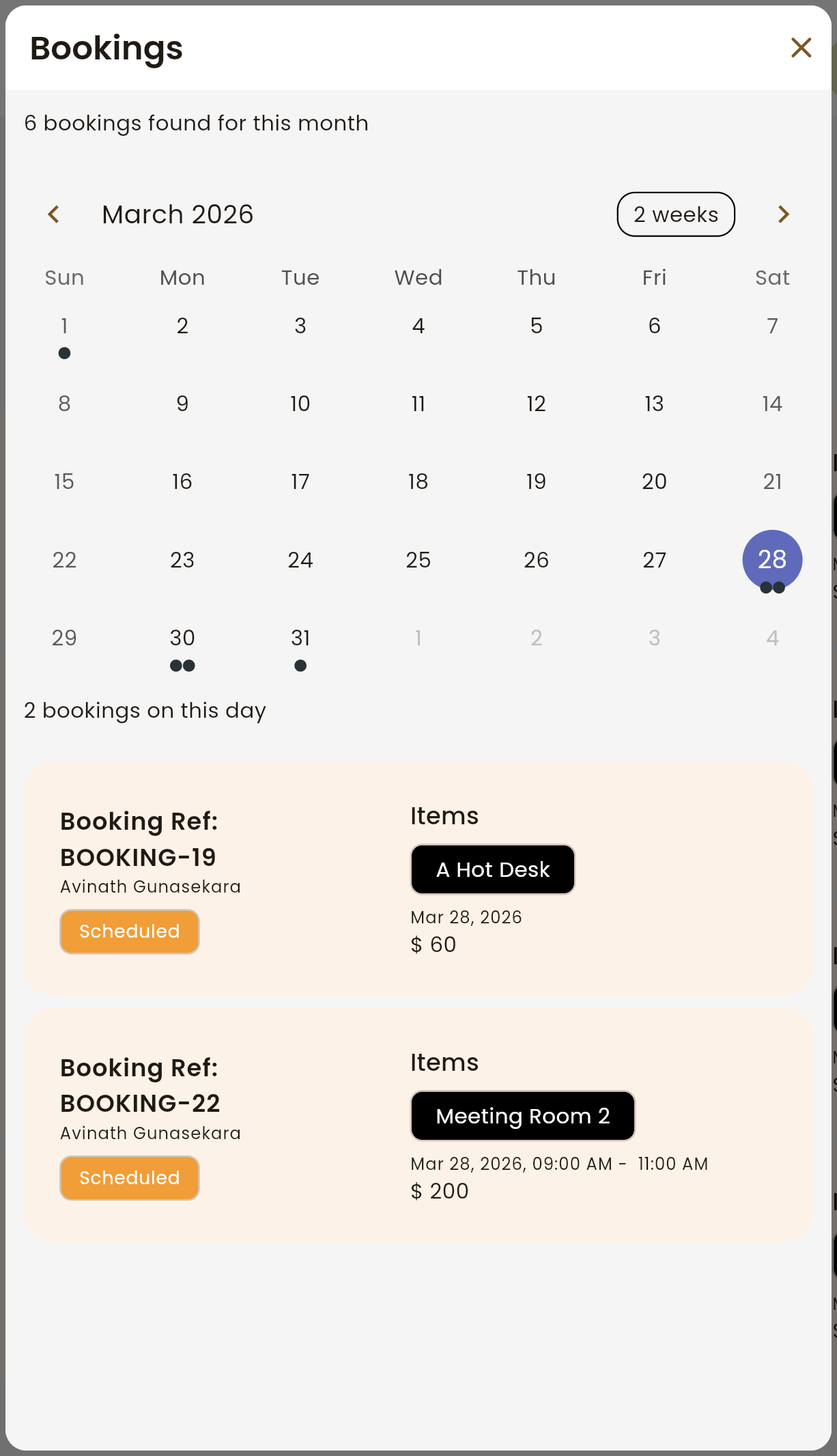
A real-time view of every booking
Browse the calendar to see exactly what's booked, when, and for whom. Filter by date range, spot availability at a glance, and drill into any booking for the full details — all without leaving the page.
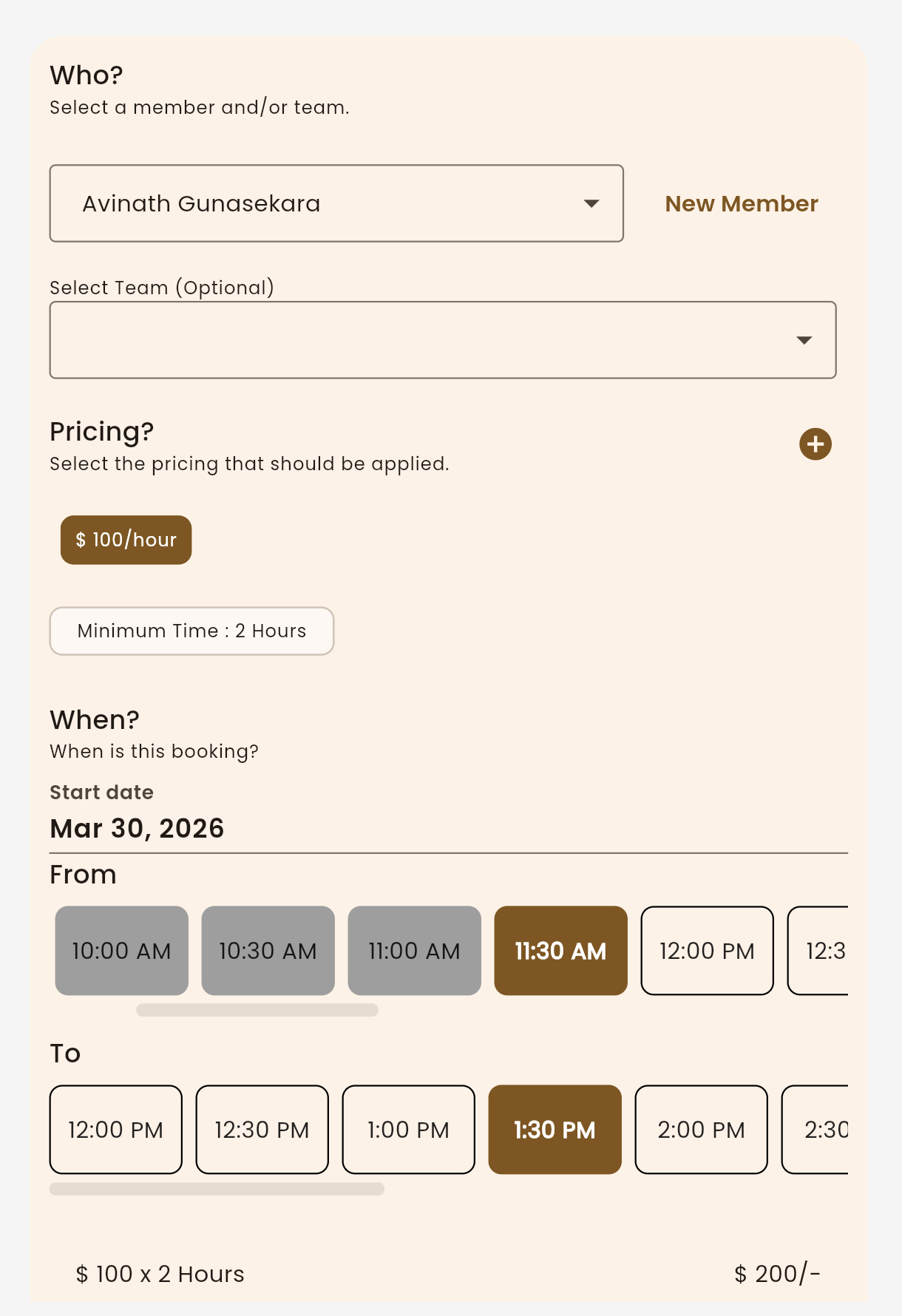
Book any resource in a few clicks
Pick the member, set the pricing rate, choose a start date, and select a time slot — all in one clean flow. No training required, no back-and-forth. Staff can create bookings on behalf of members in under a minute.
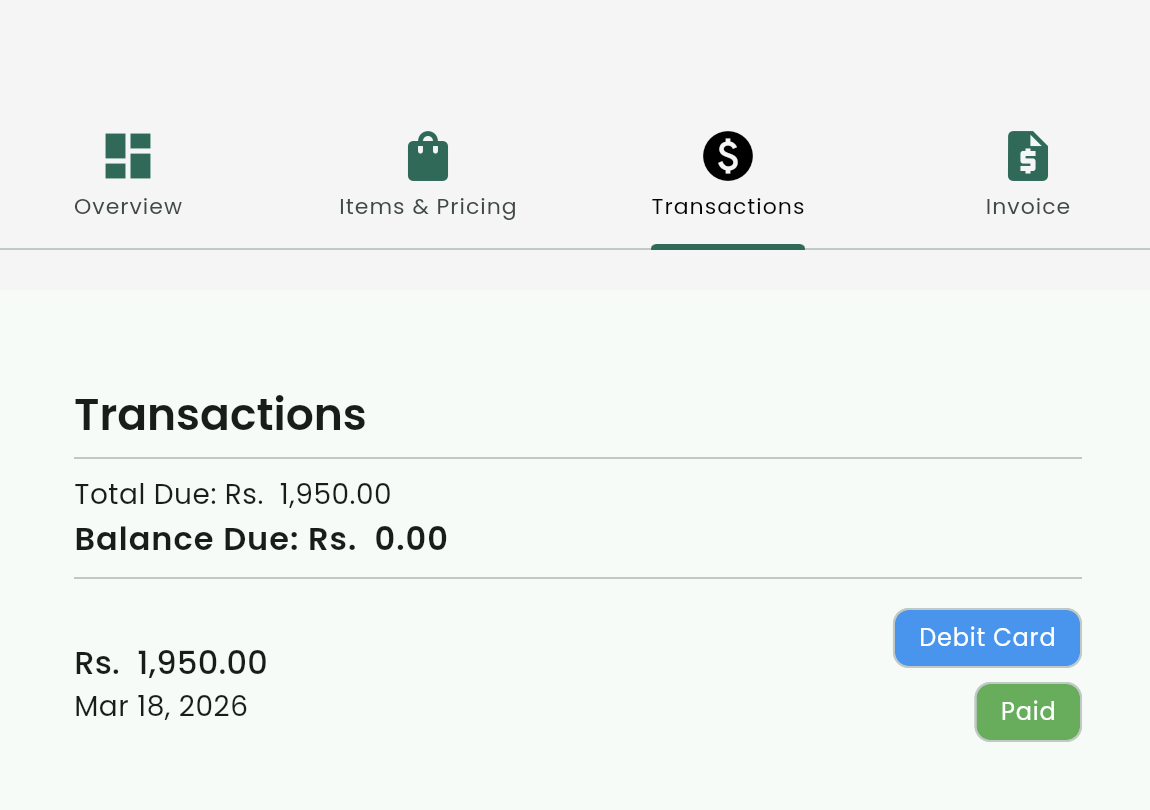
Every payment, always accounted for
Each booking comes with a full financial trail — total due, outstanding balance, and payment method. No spreadsheets, no chasing. Everything you need is one click away from the booking record.
Select resource & date
Staff or members select the resource type and view real-time availability. No conflicts, no guesswork.
Choose member & time slot
Pick the member, desired date, time slot, and quantity. Add any services or purchases to the booking.
Booking confirmed instantly
The system validates availability and confirms. The member gets a notification and inventory updates immediately.